

Technology
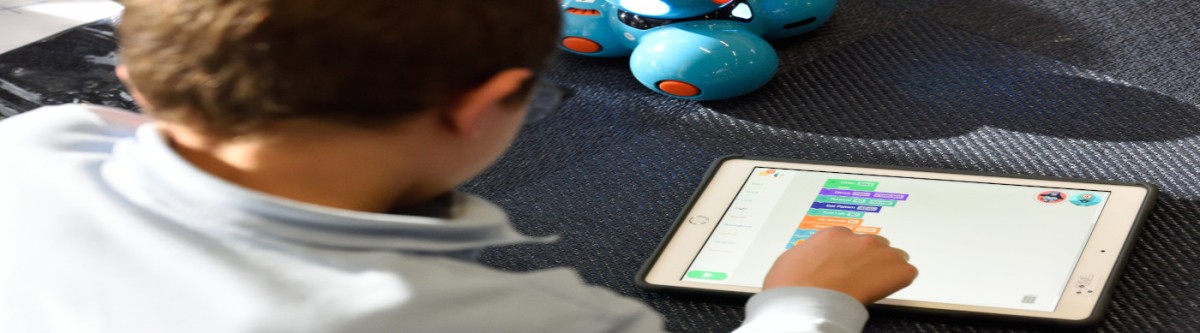
October is a busy and exciting month in Technology Class! 🎃💻 Our students are building technology skills, working on creative projects, practicing their typing, and learning how to make smart and safe choices online. 5TH GRADE — SAINT MUSEUM PROJECT
Our 5th graders are becoming digital researchers and museum curators!
Students will be working on a Saint Museum Project where they will research a saint and create a digital presentation to share what they learn.
Students will practice:
-
🔍 Finding and evaluating information online
-
📝 Taking notes and organizing research
-
🖼️ Selecting appropriate images
-
💻 Creating a digital presentation
-
🎤 Preparing to share their learning with others
This project gives students an opportunity to combine research, creativity, technology, and presentation skills!
4TH–7TH GRADE — TYPING PRACTICE
Our 4th–7th grade students are continuing to strengthen their keyboarding skills!
Students will be practicing:
-
🖐️ Proper finger placement
-
👀 Looking at the screen instead of the keyboard
-
⚡ Building typing speed
-
🎯 Improving accuracy
-
🏆 Preparing for future typing challenges and tests
A few minutes of typing practice at home can make a BIG difference! Encourage your child to practice good habits and focus on accuracy before speed.
OCTOBER IS INTERNET SAFETY MONTH!
This month, we are putting a BIG focus on staying safe, responsible, and respectful online.
Students will participate in lots of fun Internet Safety activities throughout October!
🚦 THINK BEFORE YOU CLICK!
Students will learn how to recognize:
-
🎣 Phishing and online scams
-
🔗 Suspicious links
-
📧 Strange or unexpected messages
🔒 KEEP PERSONAL INFORMATION PRIVATE
We will discuss why students should protect information such as:
-
🏠 Home addresses
-
📱 Phone numbers
-
🔑 Passwords
-
🎂 Birthdays
-
📍 Locations
-
👤 Other personal information
🤔 THINK BEFORE YOU POST
-
💬 Being kind online
-
❤️ Treating others with respect
-
🗣️ Making responsible choices when communicating online
📱 DIGITAL CITIZENSHIP
We will also discuss how to be responsible digital citizens by:
-
🤝 Respecting others
-
🔐 Protecting accounts and information
-
🧠 Making thoughtful choices
-
🚨 Knowing when to ask a trusted adult for help
🧡 Have a wonderful October! 🎃🍂
🍍
Welcome to a New Year of Technology Learning!
September is an exciting time in Technology Class! Students are settling into routines, learning new skills, and discovering how technology can help them create, communicate, and learn.
Our Goals for September
This month, students will focus on building confidence with technology, practicing important computer skills, and becoming more independent users of digital tools. Our goal is to help every student feel comfortable navigating technology while developing skills they can use across all subject areas.
🧑💻 Middle School Activities
Middle school students are jumping into some fun and creative projects!
📊 “About Me” Google Slides Presentations
Students will create an About Me presentation using Google Slides. They will practice organizing information, designing slides, adding images, and presenting their work.
🌐 Google Sites
Students will also begin exploring Google Sites. They will learn how to create and organize webpages while developing their creativity and digital communication skills.
⌨️ Typing Practice
Students are beginning to practice their typing skills in preparation for our upcoming Typing Test Challenges! Students will work on accuracy, proper finger placement, and building their typing speed.
🖱️ Elementary Technology Skills
Our elementary students are building their computer confidence one skill at a time!
🖱️ Learning to Command the Mouse
Students will practice using the mouse and learning how to click, double-click, drag, drop, and navigate around the computer.
⌨️ Beginning Typing Skills
Students will start practicing basic typing skills and becoming familiar with the keyboard. These early skills will help prepare them for more advanced typing activities as they progress through the grades.
September’s Big Goal
Our biggest goal this month is to help students become confident, responsible, and capable technology users. Whether they are creating a presentation, building a website, controlling the mouse, or practicing their typing, every new skill is a step toward becoming a successful digital learner!
Let's Have a Great September!
I am excited to see our students learn, create, explore, and grow in Technology Class this year! Let's make September a month full of creativity, learning, and lots of technology fun! 🎉💻🍍
— Mrs. Whitehead 💛
🎒💻 Back-to-School Tech News! 🚀
🌟 Welcome Back, Tech Stars! 🌟
Welcome to a brand-new school year! 🎉 We are excited to learn, create, explore, and have fun with technology together. 💻🖱️⌨️
🧑💻 What Are We Learning?
This year, we will become technology superstars! ⭐
We will learn how to:
- 💻 Use computers and other technology safely
- ⌨️ Practice our keyboarding skills
- 🖱️ Navigate and use computer programs
- 🎨 Create fun digital projects
- 🔎 Find and use information responsibly
- 🔐 Learn about online safety and digital citizenship
- 🤖 Explore how technology and AI can help us learn
🎒 Back-to-School Tech Tips
Remember these technology tips:
- 👐 Keep your hands clean before using devices.
- 💻 Carry computers and tablets carefully.
- 🔌 Plug in devices gently.
- 👀 Take breaks and give your eyes a rest.
- 🔐 Keep passwords private.
- 💬 Be kind and respectful online.
🏆 Our Tech Goal
Our goal is to become creative, curious, responsible digital citizens! 🌎✨
Every mistake is a chance to learn. Every question helps us grow. And every new skill makes us stronger! 💪🧠
🎉 Let's Have a GREAT Year!
Get ready to click, create, code, explore, and learn! 🖱️🎨👩💻🚀
Welcome back, Tech Stars! ⭐💻
Let's make this school year AMAZING! 🎒📚🎉